Free & open source
Vibe-coded with AI

Publish from Lightroom to
S3-compatible storage

A Lightroom Classic publish plugin that turns your catalog into the image backend for a static portfolio or gallery website — built with Hugo, Astro, Eleventy, or any static site generator. No middleman, no subscription.

Version latest · macOS · Lightroom Classic 6+

Works with Cloudflare R2 AWS S3 Backblaze B2 MinIO Any S3-compatible storage

Your Lightroom collections
powering a static website

Light3 is the missing link between Lightroom's curation tools and static site generators. Curate in Lightroom, publish to S3, let your CI pipeline do the rest.

Step 1 Curate in Lightroom Organize photos into published collections. Drag to reorder. Rate and cull as usual.
Step 2 Publish to S3 Click Publish. Light3 uploads only changed photos and writes an order.json sidecar per collection.
Step 3 CI reads from S3 Your build pipeline (GitHub Actions, Cloudflare Pages, Netlify…) pulls the images and order.json files from the bucket.
Step 4 SSG builds the site Hugo, Astro, or Eleventy processes the images, generates responsive sizes, and renders gallery pages in the exact order you arranged them.
Step 5 Deploy The finished static site is deployed to Cloudflare Pages, Netlify, GitHub Pages, or any CDN — globally fast, zero server costs.
Hugo
Built-in image processing pipelines and fast incremental builds make it a natural fit for large photo galleries.
Astro
Component-based layouts with first-class image optimization. Great for portfolio sites that mix photos with other content.
Eleventy
Minimal and flexible. Pair with the eleventy-img plugin for responsive image generation from your S3 originals.
Next.js
Static export mode with next/image handles optimization at build time, giving you a dynamic-feeling site from flat files.
Jekyll
Simple data files and Liquid templates. Drop order.json into _data/ and iterate straight over your gallery.
Any SSG
order.json is plain JSON — readable by any build tool, script, or framework without special integrations.

Up and running
in five minutes

1

Download the plugin

Grab the latest .lrplugin.zip from the releases page.

2

Unzip and add to Lightroom

Unzip to get light3.lrplugin, then either:

Copy it to ~/Library/Application Support/Adobe/Lightroom/Modules/, or open File → Plug-in Manager → Add and point Lightroom at the folder directly.

3

Open the Publishing Manager

In the Library module, hit the + symbol next to Publish Services and open the Publishing Manager.
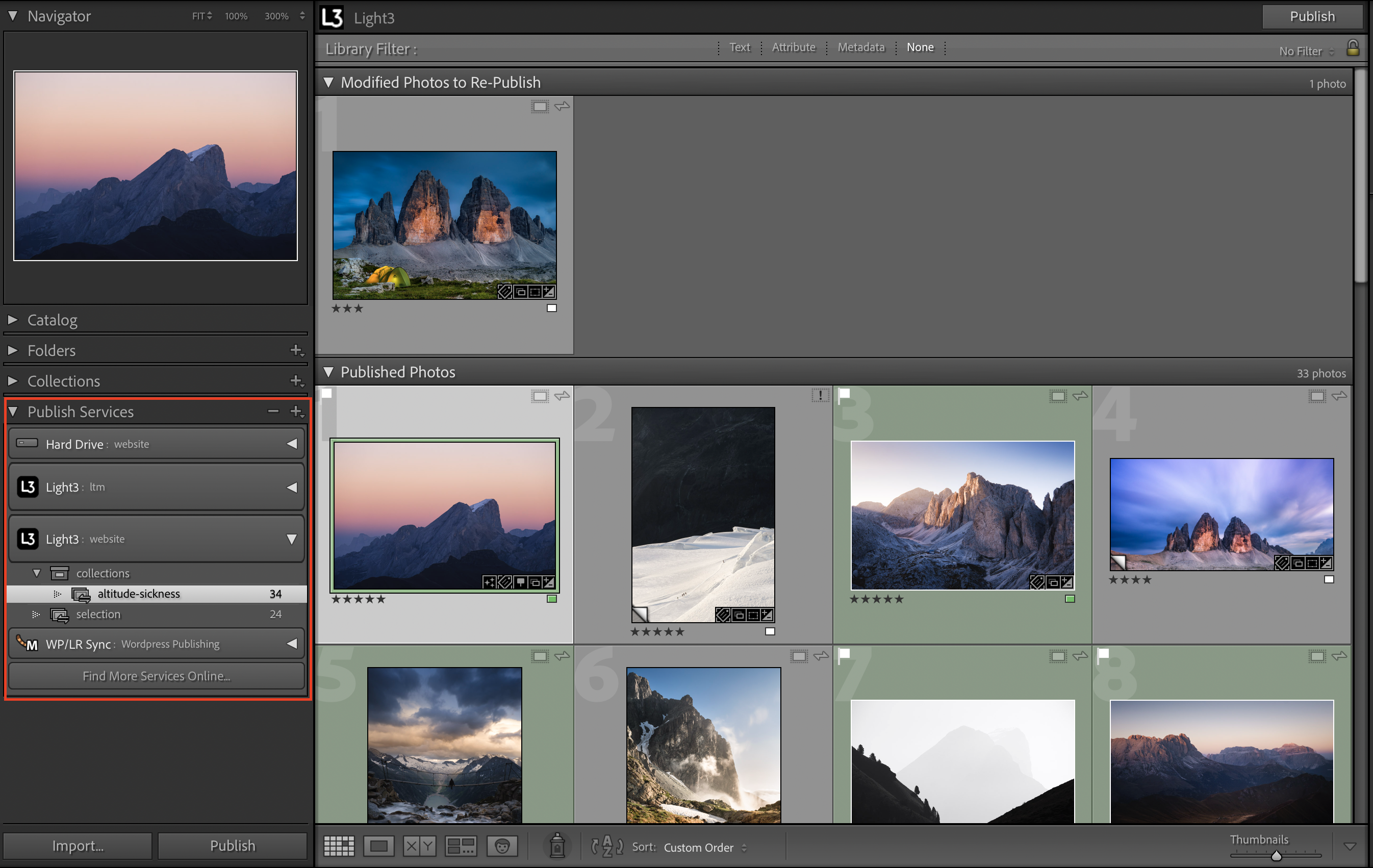
Opening the Publishing Manager in Lightroom's Library module
4

Configure Light3

Select Light3 in the Publishing Manager and enter your endpoint URL, bucket, region, and credentials.
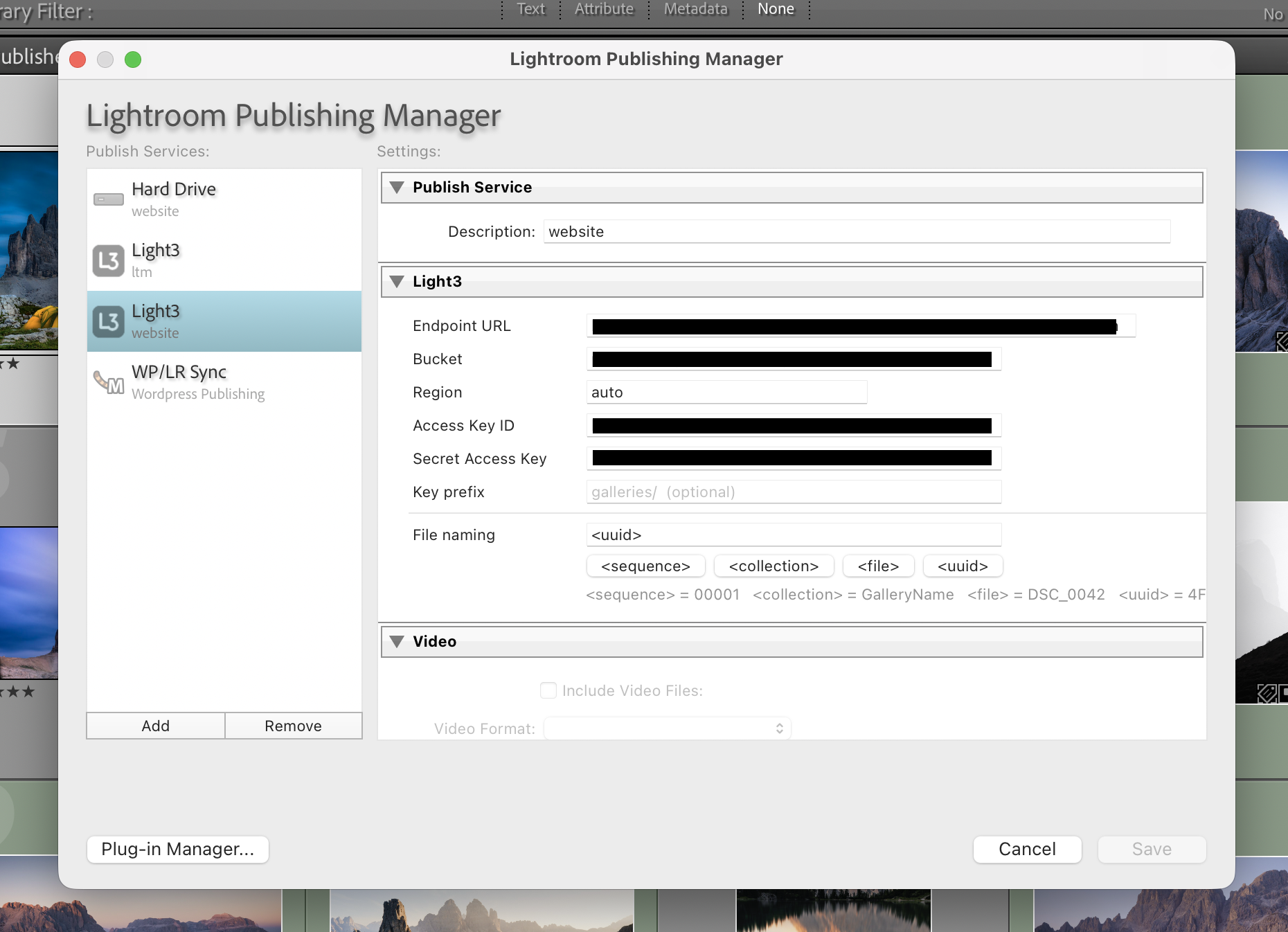
Light3 publish service configuration dialog
5

Create a collection and publish

Drag photos into a published collection under Light3. Click Publish. Done — your photos are in the bucket.
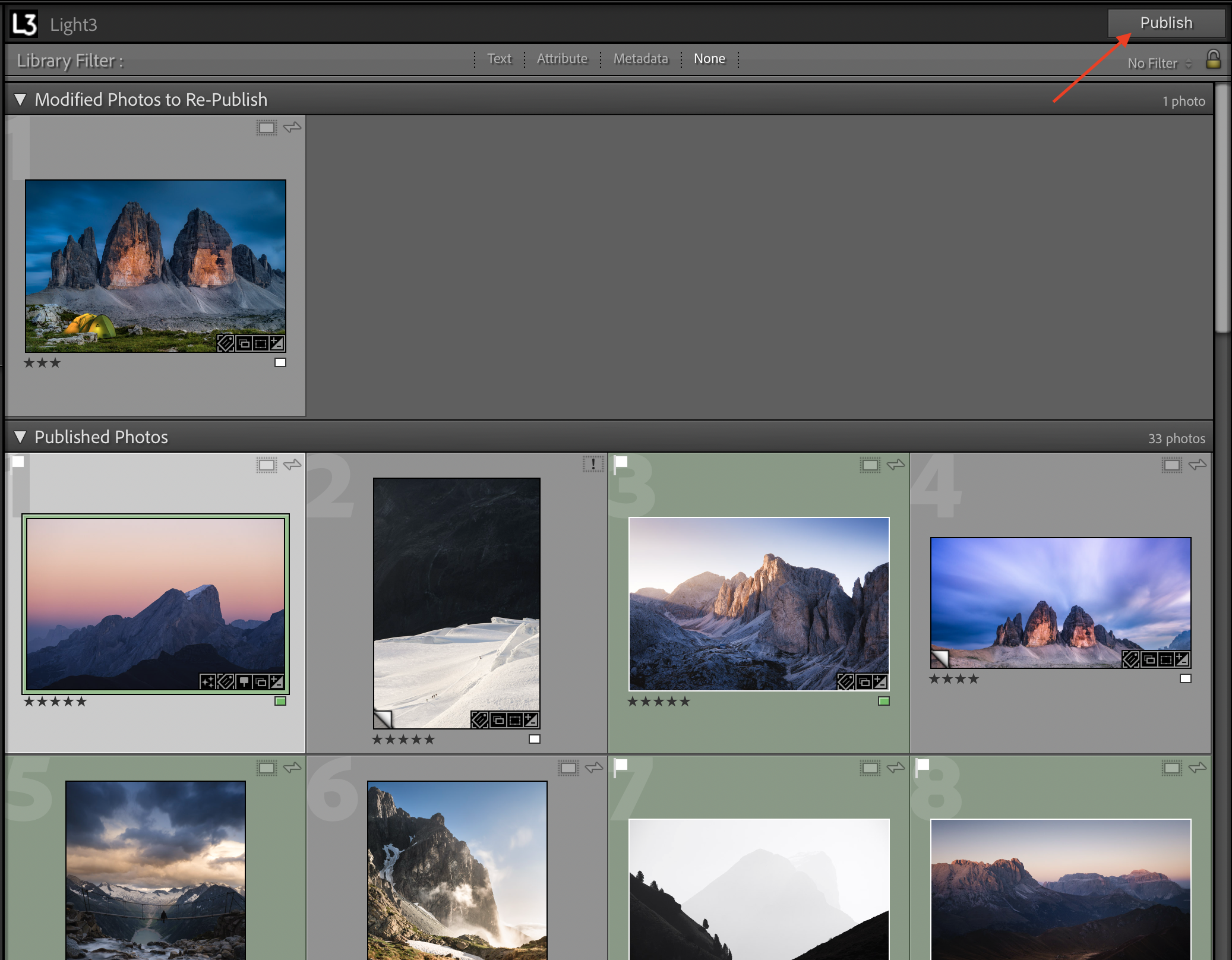
Clicking Publish in Lightroom to upload photos via Light3

Everything you need,
nothing you don't

Purpose-built for photographers who want to publish their work on their own terms — whether that's a portfolio site, a client gallery, or a static website built with Hugo, Astro, or Eleventy.

🗂️

Collection hierarchy

Collection sets map directly to S3 path segments. Weddings/Smith 2026/ in Lightroom becomes Weddings/Smith_2026/ in your bucket.

🔢

Flexible file naming

Templates let you keep the original filename, build something like <collection>_<sequence>, or use UUIDs for stable, collision-free keys.

📋

order.json sidecar

After every publish, Light3 writes a JSON file with the full ordered list of photo keys. Your gallery or static site generator can read it to display photos in exactly the order you set in Lightroom.

🔒

Credentials stay local

AWS Signature V4 signing happens on your Mac via a bundled helper binary. No proxy, no cloud intermediary, no credentials ever leave your machine.

♻️

Incremental publish

Lightroom tracks which photos are already up-to-date. Only new or edited photos are re-uploaded. Removing a photo from a collection deletes it from the bucket.

🌍

Any S3-compatible storage

One plugin, any endpoint. Switch from R2 to S3 to B2 by changing the endpoint URL — no code changes, no new installs.